
Referral Partner Training
Everything you need to introduce ProjectBits to your clients and submit your first referral.
Module 1: The 60-Second Handshake
How to introduce ProjectBits naturally in conversation with your clients.
Your clients trust you. When they mention bookkeeping headaches, tax-time scrambles, or uncertainty about their numbers, that’s the moment to introduce ProjectBits. This module shows you exactly what to say — a natural, 60-second introduction that positions our Tax Ready framework as the solution.
Key Takeaways
- When to bring it up: When a client mentions tax stress, messy books, cash flow uncertainty, or CPA frustration
- What to say: “I work with a firm that specializes in getting QuickBooks set up so your books are audit-ready every month — not just at year-end. They do a free assessment.”
- What NOT to say: Don’t sell the service — just make the introduction. We handle the rest.
Module 2: Who to Refer
How to spot the right clients for ProjectBits.
Not every business is the right fit. The best referrals are business owners who are past the startup phase, using QuickBooks Online, and feeling the pain of messy books. Here’s how to identify them.
The Ideal Referral Profile
Great Fit
- IT services / MSP owners
- Trades businesses (plumbing, HVAC, electrical)
- Professional services firms
- $500K+ revenue, 5+ employees
- Using or willing to use QuickBooks Online
- “My CPA always has questions at tax time”
Not the Right Fit
- Solopreneurs / side hustles
- Already has a full-time controller/CFO
- Uses desktop QuickBooks and won’t switch
- Looking for the cheapest option
- “My spouse handles the books”
The 3-Question Test
If a client’s bookkeeping can’t answer these three questions for every transaction, they need ProjectBits:
- “What was it for?” — Every expense has a documented business purpose
- “Who approved it?” — Authorization is recorded, not assumed
- “Where’s the proof?” — Receipt or substantiation is attached
Module 3: How to Submit a Referral
Submit a referral in under 60 seconds. Here’s exactly how.
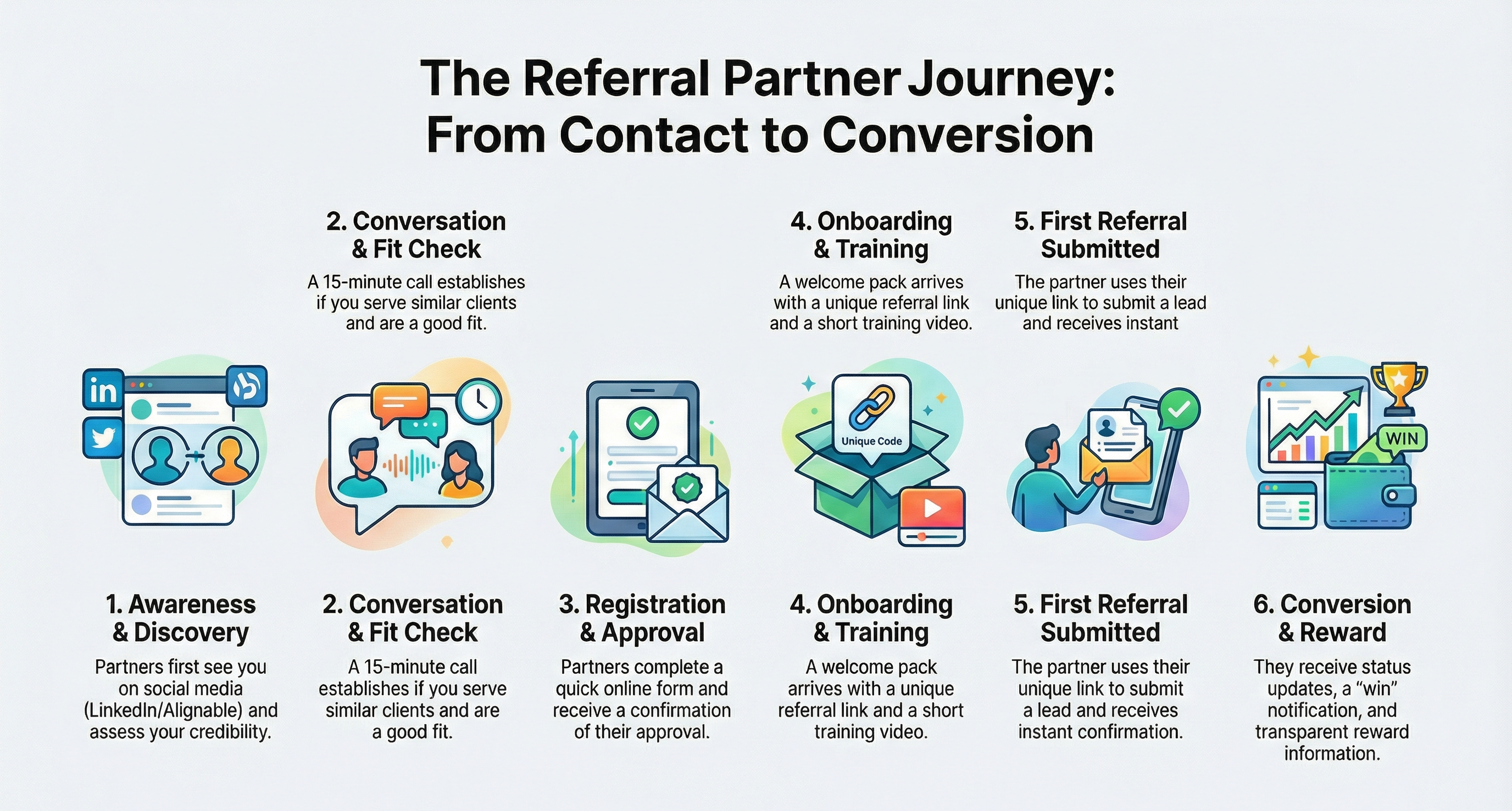
When you’ve identified a client who’s a good fit, submitting a referral takes less than a minute. Use your unique referral link (included in your welcome email) to access the form.
Step-by-Step
- Click your unique referral link (from your welcome email)
- Enter the prospect’s name, email, and phone
- Add a brief note about why they’re a good fit (optional but helpful)
- Click Submit — you’ll receive an instant confirmation
What Happens Next
- We reach out within 24 hours to schedule a free Tax Ready Assessment
- You receive status updates at key milestones
- If they become a client, you get a “win” notification with reward details
- Your Partner ID ensures permanent credit — the timestamp is definitive
Partner Resources
Ready to Submit Your First Referral?
Use your unique referral link from your welcome email, or reach out to Don directly.
Don Lovett · don@projectbits.com · (571) 570-1270