
One of the most common questions small business owners ask is: “Do I need to send a 1099 to this LLC?” The answer isn’t simply yes or no—it depends entirely on how that LLC is taxed. And the only way to know that is to read their W-9 correctly.
This post breaks down W-9 classification in plain language so you can make confident 1099 decisions without second-guessing yourself.
The Critical Insight: For LLCs, Tax Classification Determines 1099 Treatment
Here’s what trips most people up: the fact that a business is an “LLC” tells you almost nothing about whether they need a 1099. What matters is how that LLC is taxed.
An LLC can choose to be taxed as:
- Disregarded entity (sole proprietor) – Gets a 1099
- Partnership – Gets a 1099
- S-Corporation – Does NOT get a 1099*
- C-Corporation – Does NOT get a 1099*
*Except for attorneys and medical/healthcare providers, who get 1099s regardless of entity type.
How to Read a W-9: The Key Lines
When you receive a W-9 from a vendor, focus on these critical elements:
Line 1: Legal Name
This is the name that must appear on the 1099. Use it exactly as written—not a DBA or “doing business as” name.
Line 3: Federal Tax Classification
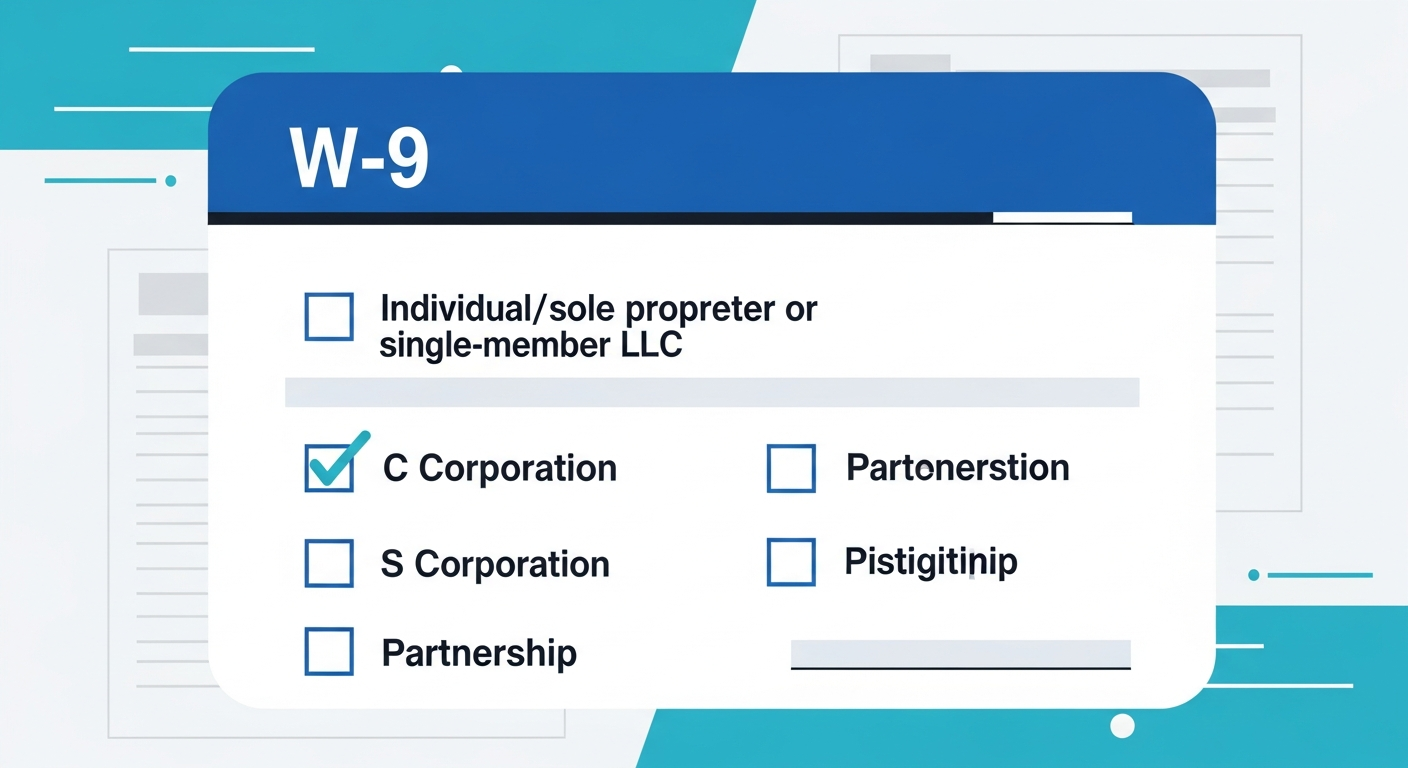
This is where 1099 decisions are made. The vendor checks one of these boxes:
- Individual/sole proprietor or single-member LLC → Issue 1099
- C Corporation → No 1099 (except attorneys/medical)
- S Corporation → No 1099 (except attorneys/medical)
- Partnership → Issue 1099
- Limited liability company → Look at the letter in the box (C, S, or P)
The LLC Box: Watch for the Classification Letter
When a vendor checks “Limited liability company,” they should also enter a letter indicating how they’re taxed:
- C = Taxed as C-Corporation → No 1099
- S = Taxed as S-Corporation → No 1099
- P = Taxed as Partnership → Issue 1099
- No letter/Blank = Single-member LLC (disregarded) → Issue 1099
Important: If an LLC’s W-9 shows “LLC” but doesn’t specify C, S, or P, and the space is blank, treat it as a single-member LLC (disregarded entity) and issue a 1099. However, it’s best practice to request a corrected W-9 for clarity.
The Complete W-9 Classification Decision Matrix
| W-9 Line 3 Selection | Issue 1099-NEC? | Track in QuickBooks? |
|---|---|---|
| Individual/sole proprietor | ✅ Yes | Yes |
| Single-member LLC (no letter) | ✅ Yes | Yes |
| Partnership | ✅ Yes | Yes |
| LLC – P (partnership-taxed) | ✅ Yes | Yes |
| LLC – S (S-corp taxed) | ❌ No* | No |
| LLC – C (C-corp taxed) | ❌ No* | No |
| S Corporation | ❌ No* | No |
| C Corporation | ❌ No* | No |
*Exception: Attorneys and medical/healthcare providers receive 1099s regardless of corporate status.
The Two Important Exceptions: Attorneys and Medical Providers
The IRS requires 1099 reporting for certain payment types regardless of the payee’s entity structure:
1. Legal Services (Attorneys)
Payments of $600 or more for legal services must be reported on a 1099-NEC, even if the attorney operates as an S-Corporation or C-Corporation.
2. Medical and Healthcare Payments
Certain payments of $600 or more to healthcare providers go on 1099-MISC (Box 6), regardless of corporate status. This includes payments for medical services, but there are nuances based on who is paying (individual patients vs. business entities).
Pro Tip: If you pay a law firm or medical practice, always track them for 1099—even if their W-9 shows “S-Corporation” or “C-Corporation.”
What to Do with Incomplete or Unclear W-9s
Sometimes you’ll receive a W-9 that’s ambiguous or incomplete. Here’s how to handle common issues:
LLC Box Checked but No Letter
If a vendor checks “Limited liability company” but doesn’t specify C, S, or P:
- Request a corrected W-9 with the tax classification specified
- In the meantime, treat as a single-member LLC and plan to issue a 1099
Missing Tax ID
Never make a payment without a Tax ID on file. Without it:
- You can’t file an accurate 1099
- You may face backup withholding requirements (24%)
Name Doesn’t Match Business Type
If a personal name appears but “Corporation” is checked, or vice versa, request clarification. The W-9 must be internally consistent.
How This Flows into QuickBooks
Once you’ve classified a vendor based on their W-9, translate that into QuickBooks:
- Open the vendor profile in QuickBooks Online
- Enter the Tax ID exactly as shown on the W-9
- Check “Track payments for 1099” only for:
- Individuals and sole proprietors
- Single-member LLCs (no letter or blank)
- Partnerships and LLCs taxed as partnerships (LLC-P)
- Attorneys (regardless of entity type)
- Medical providers (regardless of entity type)
- Do NOT check “Track payments for 1099” for:
- Corporations (C or S)
- LLCs taxed as S-Corp (LLC-S)
- LLCs taxed as C-Corp (LLC-C)
- Upload the W-9 to the vendor’s Documents tab for your records
Creating an Audit Trail: Best Practice
For QuickBooks Online Advanced users, consider adding a custom field called “W-9 Tax Entity Type” with these options:
- Individual
- Sole Proprietor
- Single-Member LLC
- Partnership
- LLC-Partnership (LLC-P)
- LLC-S-Corp (LLC-S)
- LLC-C-Corp (LLC-C)
- S-Corporation
- C-Corporation
This lets you run reports to audit your 1099 tracking: “Show me all vendors marked LLC-S that are also marked Track for 1099″—which should return zero results (except attorneys/medical).
Key Takeaways
- For LLCs, the tax classification matters more than the LLC status itself. Look for the C, S, or P letter on line 3.
- Issue 1099s to: Individuals, sole proprietors, single-member LLCs, partnerships, and LLC-Ps.
- Do NOT issue 1099s to: Corporations, LLC-S, and LLC-C entities—unless they’re attorneys or medical providers.
- When in doubt, request a corrected W-9 with complete classification information.
- Document your decisions by uploading W-9s and using custom fields for entity type tracking.
Next in the series: We’ll explore the differences between 1099-NEC and 1099-MISC, including when to use each form and the most common traps business owners fall into.
Are You Ready to Take Control of Your Business Finances?
Hidden QuickBooks issues can quietly erode profits, distort decision-making, and create headaches when tax time arrives. At ProjectBits Consulting, our Tax Ready Bookkeeping service gives you expert-level oversight from certified QuickBooks ProAdvisors who know exactly where to look—and how to fix what they find. We help uncover problems early, restore confidence in your financial data, and ensure your books stay accurate and tax-ready all year long.
Don’t wait until tax season to find costly surprises. Get proactive with a professional bookkeeping assessment that identifies gaps before they become risks. Apply now for your Tax Ready Assessment or explore the practical strategies in our book, Ready to Take Control of Your Business Finances, to learn how to keep your numbers working for you.