

The AI Governance & Security Series
★ Start here (the story), then read Parts 1–7 in order.
| # | Post | Read |
|---|---|---|
| ★ | AI Sorcery: Don’t Be the Apprentice | Read |
| 1 | The Ledger Question | Read |
| 2 | Can You Prove What Your AI Did to the Books Last Night? | Read |
| 3 | The Boundary a Local AI Model Won’t Give You | Read |
| 4 | What Quantum Computing Does to Your AI Audit Trail | Read |
| 5 | Something You Know, Have, or Are | Read |
| 6 | Lock the Front Door: Secure Your QuickBooks Login | Read |
| 7 | The Back Door: Who Can Reach Into Your Books (you are here) | — |
The Back Door: Who (and What Apps) Can Reach Into Your Books
Part 7 of the ProjectBits AI Governance & Security series. The previous post, Lock the Front Door, covered how you sign in. This one covers the other way into your books — the apps, integrations, and AI tools you connect — and how to stay in control of them.
You locked the front door. There’s still a back door.
Say you’ve done everything right: strong password, passkey, hardware key. Your personal login is bulletproof.
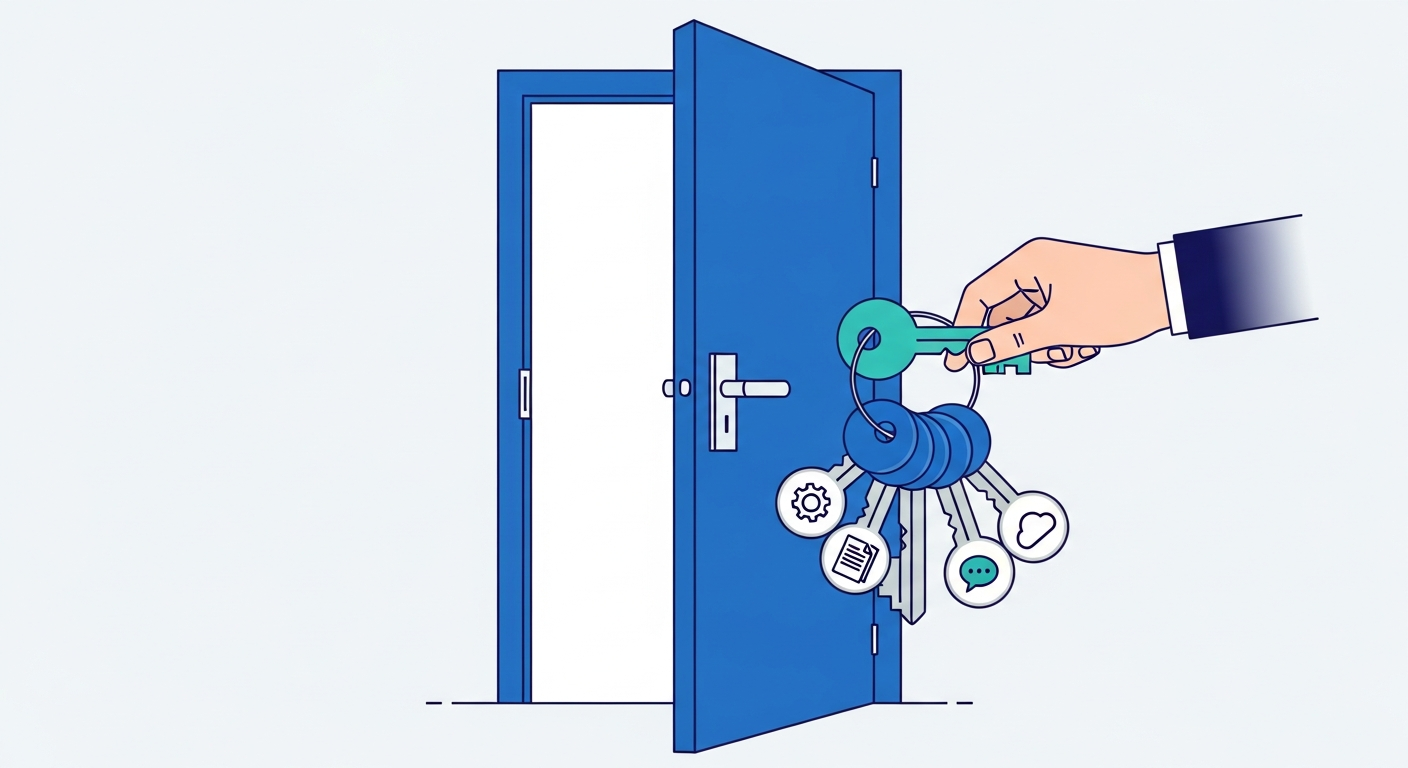
But every time you click “Connect to QuickBooks” on some app — a receipt scanner, a payment processor, a reporting dashboard, an AI bookkeeping tool — you’ve handed that app its own key to a door around the back. That app can now read (and often change) your books without ever seeing your password, and it keeps that access until you take it away.
That’s not a bug. It’s how modern software is supposed to work — it’s far safer than the old way of giving apps your actual password. But it means the security question shifts. It’s no longer just “is my login safe?” It becomes:
- Which apps have keys to my books right now?
- What is each one actually allowed to do?
- How would I know if one did something it shouldn’t?
Most business owners have never looked. Let’s fix that.
How app access actually works (in plain terms)
When you connect an app to QuickBooks, three good things happen behind the scenes:
- The app never gets your password. It gets its own separate key (a “token”). Your password stays yours.
- You can revoke that key anytime — without changing your password or affecting any other app.
- The key can be limited to only certain actions (this is called scope — more on that next).
This system is called OAuth, and it’s the same mechanism behind “Sign in with Google.” The important part for you: the key is separate, limited, and revocable. Those three properties are your controls. Use them.
Least privilege: only the keys they actually need
The single most important idea in access security has an unglamorous name: least privilege. It means every app — and every person — gets only the access they need to do their job, and nothing more.
- Your receipt-scanning app needs to add expenses. It almost certainly does not need to touch payroll or move money.
- Your reporting dashboard needs to read your numbers. It should never need to change them.
- A bookkeeper you hired for one project needs access during that project — and should lose it the day it ends.
When you connect an app, notice what it’s asking for. If a simple tool wants sweeping “read and write everything” access, that’s worth a pause. The blast radius of a compromised app is exactly equal to what you let it touch. Give less, and a bad day stays small.
Your quarterly ten-minute access review
Set a recurring reminder — quarterly is plenty for most businesses — and do this:
- List who has access. In QuickBooks: Settings → Manage Users. Anyone still on here who shouldn’t be? Former employees, a bookkeeper whose engagement ended? Remove them.
- List which apps are connected. In QuickBooks: Settings → Apps (and check your Intuit Account’s connected apps). For each one ask: do I still use this? Do I remember connecting it? If either answer is no, disconnect it. Revoking is instant and reversible — reconnect later if you need it.
- Right-size the access that remains. Where QuickBooks lets you choose a user’s role (Standard, Reports-only, Time-tracking-only), pick the narrowest role that still lets them work.
- Rotate anything a person left with. If someone with access to a connected system departed, assume their keys should be replaced, not just their password.
Ten minutes, four times a year. It’s the cheapest insurance you’ll ever buy on your financial data.
Where this connects to AI and governance
Here’s why this matters more every year: AI tools reach your books through exactly this back door. An AI reconciliation agent, a forecasting tool, an automated invoice handler — each one holds a scoped key, just like any other app.
Done well, that’s actually safer than a human with a full login, because a well-built AI integration can be:
- Scoped tightly — allowed to read your ledger and propose changes, but not to move money on its own.
- Gated by approval — every meaningful action waits for a human “yes” before it commits.
- Fully logged — every read, every proposed change, every approval recorded and attributable, so you can always answer what did it do, when, and on whose authority.
That’s the whole thesis of The Governed AI Financial Trust Architecture: the goal isn’t to prove the AI works — it’s to prove what it did, and to keep a human in charge of anything that matters. Tight scoping and revocable, auditable access are how that promise is kept at the door.
The one-sentence version
Lock the front door (your login), watch the back door (connected apps), give every key the least it needs, and keep a log of who used what. Do those four things and your financial data is better protected than that of most businesses many times your size.
ProjectBits builds governed, auditable financial operations for small businesses — where every action on your books is scoped, approved, and provable. Let’s talk.
Are You Ready to Take Control of Your Business Finances?
Most back-office problems don’t live where owners look for them first — not in the tool, not in the person, but in the handoffs and decisions nobody ever made explicit. At ProjectBits Consulting, Tax Ready Bookkeeping starts with a structured diagnostic: we put a number on each part of your books, name what’s actually plateaued, and show you the receipts before recommending any work. You leave with a clear picture you can act on — whether you work with us or not.
The diagnostic precedes the remedy. The Tax Ready Assessment is the front door — a no-obligation walk through where your books actually stand this month. Apply now for your Tax Ready Assessment, or explore the thinking behind it in our book, Ready to Take Control of Your Business Finances.